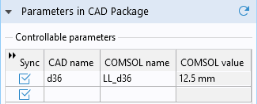
As you can see, the table contains a parameter,
d36, which is part of the PTC Creo Parametric model. This parameter was selected to be linked to COMSOL in PTC Creo Parametric and saved in the PTC Creo Parametric file. Such linked parameters are retrieved and appear in the CAD name column of the table, when you click the Synchronize button. The corresponding entry in the COMSOL name column, the parameter
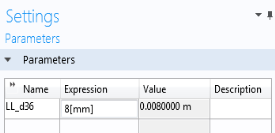
LL_d36, is a global parameter that is generated automatically in the COMSOL model. When it is created during synchronization,
LL_d36 is assigned the current value of the corresponding PTC Creo Parametric parameter. This value, 12.5 mm, is displayed in the COMSOL value column.
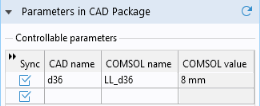
Global parameters in a COMSOL model allow you to parameterize settings and can be controlled by the parametric solver to perform parametric sweeps. Thus, by linking PTC Creo Parametric parameters to COMSOL global parameters, the parametric solver can automatically update and synchronize the geometry for each new value in a sweep. Here you can manually change the parameter value and synchronize.
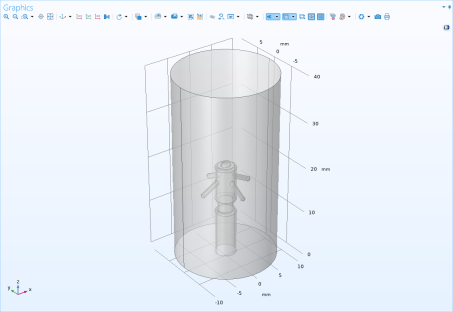
The geometry now changes according to the value of the global parameter LL_d36 before transferring from PTC Creo Parametric to COMSOL. The change affected the position of the counter electrode (thin waist) on the pacemaker.