Materials
Define the material (air) present at the interface between the chip and the heat sink.
Air
1
In the Home toolbar click Add Material
.
2
In the Add Material window under Built-In, click Air
.
3
Click Add to Component
.
4
Click Add Material
In the Home toolbar to close the material tab.
5
In the Model Builder window, select Component 1 (comp1) > Materials > Air (mat3).
6
In the Geometric Entity Selection section, choose Boundary from the Geometric entity level list.
7
From the Selection list, choose Chip/Heat Sink Interface.
8
In the Home toolbar, click Compute
.
 .
. .
. .
. In the Home toolbar to close the material tab.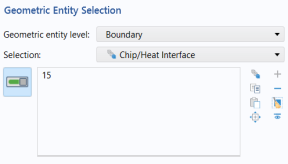
 .
.