Materials
Now define the materials that will be used in the first study.
Aluminum
1
In the Home toolbar, click Add Material
.
2
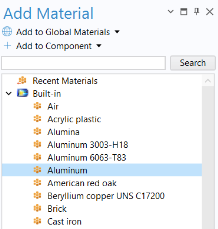
Go to the Add Material window.
3
In the tree, select Built-In > Aluminum.
4
Click Add to Component
.
Silica Glass
1
Select now Built-In > Silica glass and click Add to Component
.
2
In the Home toolbar, click again Add Material
to close the material panel.
To facilitate face selection in the next steps, use the Wireframe Rendering option by clicking the Wireframe Rendering button
in the Graphics toolbar.
3
In the Model Builder window, under Component 1 (comp1) > Materials click Silica glass (mat2).
4
Select Domain 3 corresponding to the electronic chip.
Note:
There are many ways to select geometric entities. To select a domain that is underneath or inside another domain, first position the mouse over the desired domain. This will highlight the outer domain. You can select the desired domain from this position using the scroll wheel of a mouse or the arrow keys and then clicking when the correct domain is highlighted. This adds the domain to the Selection list. For more information about selecting geometric entities in the Graphics window, see the
COMSOL Multiphysics Reference Manual
.
In order to easily reuse the selection of the domain corresponding to the chip, create a dedicated selection for it.
5
In the Geometric Entity Selection section, click Create Selection
.
6
In the Create Selection dialog, type
Chip
in the Selection name text field and click OK.
 .
.
 .
. .
. to close the material panel.
 in the Graphics toolbar.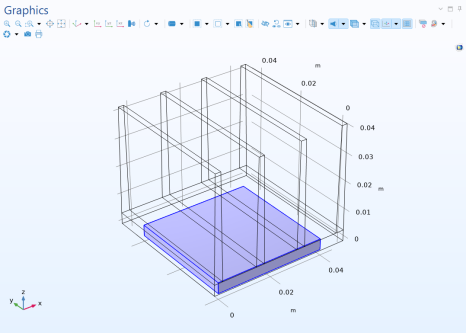
 .
.