Use the Release from Grid node to release grains from a grid of initial positions with user-defined coordinates.
See Release for information about the following sections:
Release Times and
Initial Value of Auxiliary Dependent Variables.
See the Release node for information about
Velocity,
Angular velocity in body-fixed frame, and
Temperature.
For All combinations and
Specified combinations, enter
Initial coordinates based on space dimension (
qx,0,
qy,0, and
qz,0 for 3D components) for the grain positions, or click the
Range button (

) to select and define a range of specific coordinates.
If Specified combinations is selected, the number of initial coordinates entered for each space dimension must be equal, and the total number of grains released is equal to the length of one of the lists of initial coordinates. If
All combinations is selected, the total number of grains released is equal to the product of the lengths of each list of initial coordinates.
For example, suppose a 2D model component includes a Release from Grid node with the following initial coordinates:
If All combinations is selected, a total of
16 grains will be released, including every possible combination of the initial
x- and
y-coordinates. If
Specified combinations is selected,
4 grains will be released with initial positions
(0,2),
(1,4),
(2,6), and
(3,8).
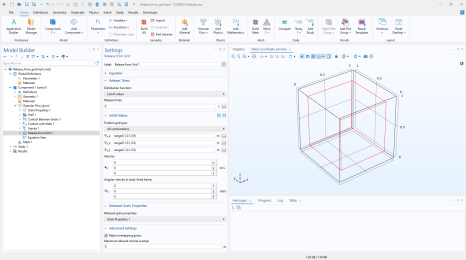
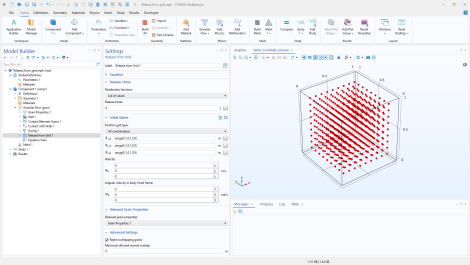
In the Initial Coordinates section, click the
Preview Initial Coordinates 
and
Preview Initial Extents 
buttons to visualize the initial grain positions. Clicking
Preview Initial Coordinates causes a point to appear in the
Graphics window for every release position. Clicking
Preview Initial Extents causes a bounding box to appear, indicating the spatial extents of the released grains. Examples are shown in
Figure 3-1 and
Figure 3-2.
Choose the desired set of grain properties described in one of the Grain Properties nodes from
Released grain properties list. The default is the first
Grain Properties node in the node tree.
By default, grains will be released at the initial positions only if they do not interact with any existing grains or with the walls. This can be controlled by the Reject overlapping grains checkbox which is selected by default. When enabled, enter a nonnegative value or expression for the
Maximum allowed normal overlap (SI unit: m). The default is
0 m. This value is used to control the amount of acceptable overlap. When the checkbox is not selected, grains are always released at the specified coordinates irrespective of the overlap with other grains and wall elements.
If User Defined is selected from the
Seeds for random number generator list in the physics interface
Advanced Settings section, the
Seed for random number generator field is available. Enter the seed value of the pseudorandom number generator (PRNG) used by this feature. The default value is
1. The PRNG is used to generate random numbers for sampling grain release times, positions, grain properties, and initial values of auxiliary dependent variables.