Figure 1 uses the application library example
Mixing Grains in a Ribbon Mixer to show the Model Builder tree structure and the Settings window for the selected physics interface node. This node acts as the starting point for the Granular Flow simulations and has options to choose the contact force models, rolling resistance models and additional options to include the thermal effects. A granular flow model must contain at least one node each to specify the material and contact properties of the grains and walls. Additionally at least one feature that releases the grains must be included in the model.
 ), found under the Fluid Flow branch (
 ) in the Model Wizard. This interface models the bulk behavior of granular materials by computing the individual grain trajectories under the influence of external forces and contact forces.
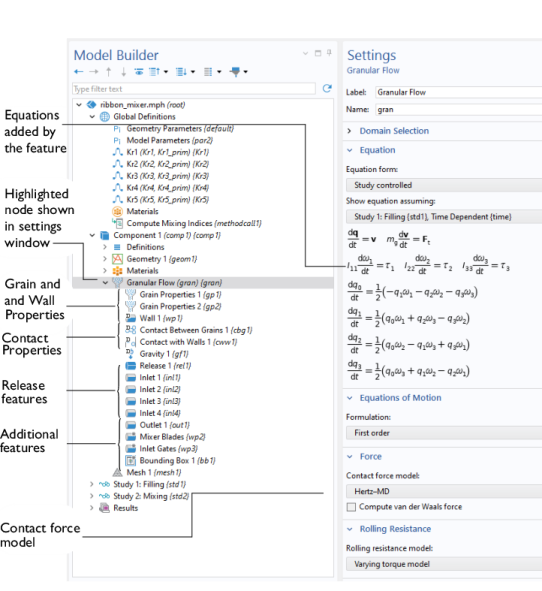 The Model Builder (to the left), and the Settings window for the selected feature node (to the right). The Equation section in the Settings window shows the model equations.