Automatic Remeshing
Extend the simulation time to 14 seconds and recompute. Enable automatic remeshing in order to remesh the geometry if the mesh quality gets too low. First, add another Study node from the Model Wizard.
1
In the Home toolbar click Add Study
.
2
Go to the Add Study window. Find the Studies subsection. In the tree under Preset Studies, select Time Dependent with Initialization
.
3
In the Add study window click Add Study
.
4
Under the Study 2 node click Step 2: Time Dependent
.
5
In the Settings window under Study Settings, in the Times text field, enter
range(0,1,14)
.
6
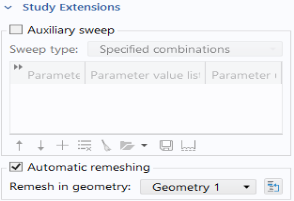
Find and expand the Study Extensions section. Select the Automatic remeshing checkbox.
7
In the Home toolbar click Compute
.
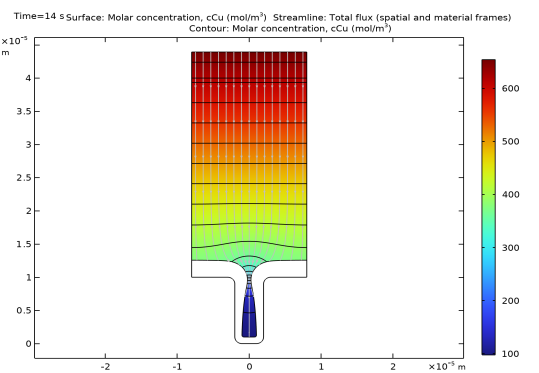
Concentration Plot after 14 s
In the Model Builder under Results, click the Concentration, Cu(tcd)
Plot Group and change Dataset to Study 2/Remeshed Solution 1. Change 'Time (s):' under Data to 14 and press Plot
.
Now you will see the results of the new simulation.
 .
.  .
. .
. .
.
 .
. Plot Group and change Dataset to Study 2/Remeshed Solution 1. Change 'Time (s):' under Data to 14 and press Plot
  .
.