|
1
|
|
7
|
|
2
|
Change the Label field to Deposition Thickness.
|
|
3
|
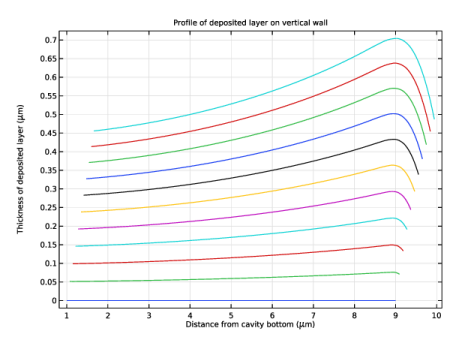
Click to expand the Title section. Select Manual and enter (or copy and paste) Profile of deposited layer on vertical wall as the title.
|
|
-
|
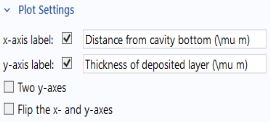
Select the x-axis label checkbox and enter Distance from cavity bottom (\mu m).
|
|
-
|
|
6
|
In the Settings window for Line Graph click the Paste Selection button
 and enter 4 in the Selection text field. and enter 4 in the Selection text field. |
|
7
|
|
8
|
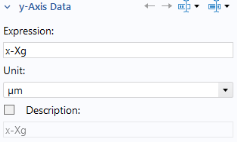
Under x-Axis Data, from the Parameter list, select Expression. In the Expression text field, enter y and select micrometer in the Unit list.
|
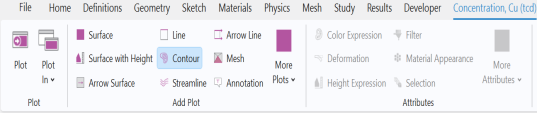
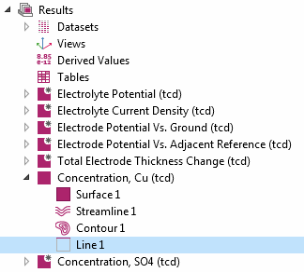
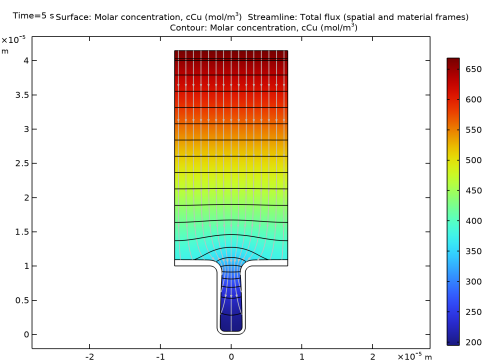
 node. On the Concentration (tcd) toolbar click Contour
  .
.
 node, under Streamline Positioning and from the Positioning list, choose On selected boundaries. In the Number text field, enter
  .
.
 .
. Add a 1D Plot Group and Define a 1D Line Graph
 and choose 1D Plot Group
  .
.
 .
.
 .
.