Model Wizard
1
If COMSOL is already open, you can start the Model Wizard by selecting New
from the File menu and then click Model Wizard
.
2
In the Space Dimension window click 2D
.
3
In the Select Physics tree under Electrochemistry > Electrodeposition, Deformed Geometry click Electrodeposition, Tertiary with Electroneutrality
.
4
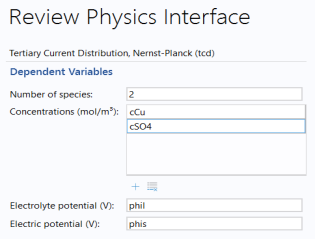
Click Add, then rename the two concentration dependent variables to
cCu
and
cSO4
.
5
Click the Study
button.
6
In the tree under Preset Studies click Time Dependent with Initialization
.
7
Click Done
.
 from the File menu and then click Model Wizard
  .
. .
. .
.
 button.
 .
. .
.