|
1
|
|
3
|
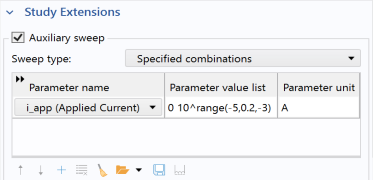
Click the
 Add button under the table. In the Parameter name column, select i_app (Applied Current) from the list that appears. Add button under the table. In the Parameter name column, select i_app (Applied Current) from the list that appears. |
|
4
|
 click Step 1: Stationary
  .
.
 .
.