Applying a Sketch Fillet
1
From the Sketch tab select Fillet (
).
2
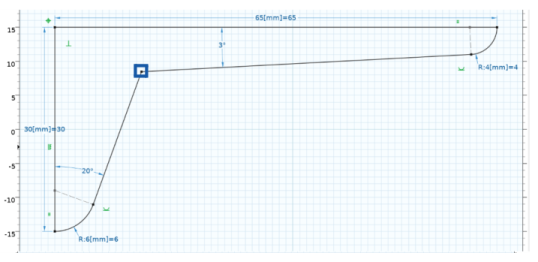
Select and drag the vertex highlighted below to add a fillet. A preview of the fillet is displayed while dragging, and when you let go of the vertex the Fillet feature is added to the geometry sequence.
3
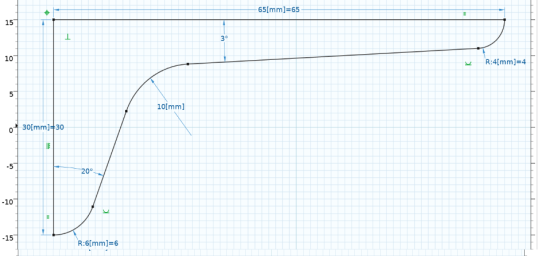
In the settings for Fillet, in the Radius text field enter
10[mm]
.
4
Press F7 to build the geometry. The bracket drawing is now complete.
5
Click the Sketch (
) button to exit sketch mode (this also exits the sketch fillet mode). The solid object of the bracket is now displayed in the Graphics window.
 ).
).
 ) button to exit sketch mode (this also exits the sketch fillet mode). The solid object of the bracket is now displayed in the Graphics window.