Creating Sketches with Constraints and Dimensions
The constraint and dimension features enable an efficient workflow to create 2D geometries, including on work planes in 3D. By using the drawing tools available in sketch mode you can draw an initial sketch; then, by adding constraints and dimensions, you can obtain the final geometry.
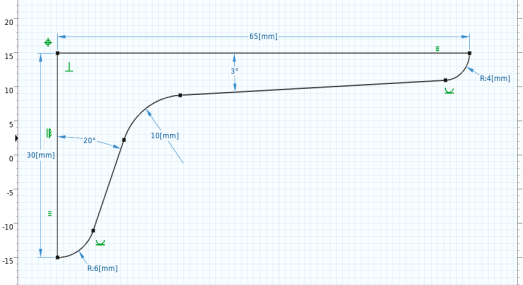
A constraint is a requirement on geometric entities that does not have a value; for example, a requirement that two edges should be parallel. A dimension is a requirement that has a value; for example, a requirement that specifies the distance between two vertices. The constraints and dimensions added to the geometry are visualized with symbols and arrows in the Graphics window.
Follow this tutorial to learn how to use the drawing tools in sketch mode and to apply constraints and dimensions to create the geometry of the bracket pictured below.