|
1
|
|
4
|
|
7
|
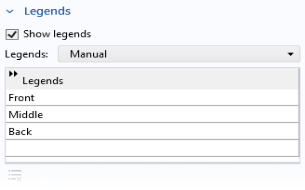
From the Legends list choose Manual. In each row of the table, enter Front, Middle, and Back as in the figure.
 |
|
8
|
|
3
|
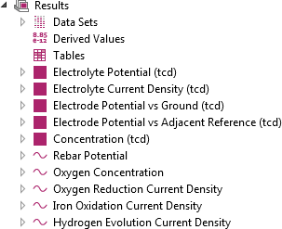
Go to the Rename 1D Plot Group dialog and type Oxygen concentration in the New name text field. Click OK.
|
|
5
|
In the Settings window for Point Graph click Replace Expression
 (it is in the upper-right corner of the y-axis data section). Choose Model > Component 1 > Tertiary Current Distribution, Nernst–Planck > c -Concentration. (it is in the upper-right corner of the y-axis data section). Choose Model > Component 1 > Tertiary Current Distribution, Nernst–Planck > c -Concentration. |
|
3
|
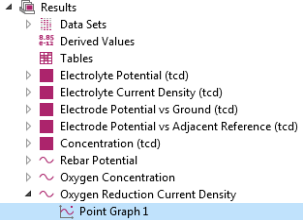
Go to the Rename 1D Plot Group dialog and type Oxygen Reduction Current Density in the New name text field and click OK.
|
|
4
|
|
5
|
In the Settings window of the y-axis data section click Replace Expression
 and choose Model > Component 1 > Tertiary Current Distribution, Nernst–Planck > Electrode kinetics > tcd.iloc_er1 - Local current density. and choose Model > Component 1 > Tertiary Current Distribution, Nernst–Planck > Electrode kinetics > tcd.iloc_er1 - Local current density. |
|
6
|
|
3
|
Go to the Rename 1D Plot Group dialog and type Iron Oxidation Current Density in the New name text field. Click OK.
|
|
5
|
In the Settings window of the y-axis section click Replace Expression
 and choose Model > Component 1 > Tertiary Current Distribution, Nernst-Planck > Electrode kinetics > tcd.iloc_er2 - Local current density. and choose Model > Component 1 > Tertiary Current Distribution, Nernst-Planck > Electrode kinetics > tcd.iloc_er2 - Local current density.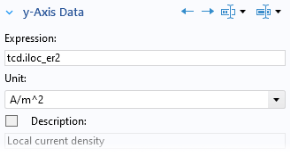 |
|
6
|
|
3
|
Go to the Rename 1D Plot Group dialog and type Hydrogen Evolution Current Density in the New name text field. Click OK.
|
|
5
|
In the Settings window of the y-axis section click Replace Expression
 and choose Model > Component 1 > Tertiary Current Distribution, Nernst-Planck > Electrode kinetics > tcd.iloc_er3 - Local current density from the menu. and choose Model > Component 1 > Tertiary Current Distribution, Nernst-Planck > Electrode kinetics > tcd.iloc_er3 - Local current density from the menu. |
|
6
|
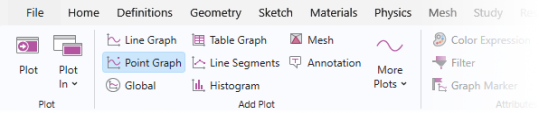
 and choose 1D Plot Group
  .
. .
. 
 .
. in the upper-right corner of the y-axis data section. From the menu, choose Model > Component 1 > Tertiary Current Distribution, Nernst–Planck > tcd.Evsref - Electrode potential vs adjacent reference.
 node. Press F2 and rename the node
  . Your plot should look like the one in
  (the third plot group node) and choose Duplicate
  .
. and press F2.
 .
. . Your plot should look like the one in
  and choose Duplicate
  .
. and press F2.
 .
.
 to update the plot in the Graphics window. Your plot should look like the one in
  and choose Duplicate
  .
. and press F2
 .
. to update the plot in the Graphics window. Your plot should look like the one in
  and choose Duplicate
  .
. and press F2.
 .
. to update the plot in the Graphics window. Your plot should look like the one in