|
1
|
|
1
|
|
2
|
|
3
|
|
4
|
Select the Application checkbox.
|
|
5
|
|
6
|
Click Cancel to close the dialog without applying the filter.
|
|
1
|
|
2
|
|
3
|
|
1
|
Write @item and press Ctrl+Space.
|
|
2
|
In the opened dialog, under Field expressions, select the @itemVersionType: - Item version type option.
|
|
3
|
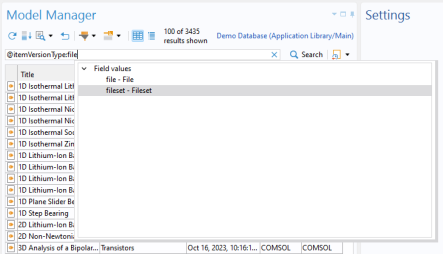
Continue the syntax expression by writing file after the colon. Press Ctrl+Space again.
|
|
4
|
 ) is again the sole match in the search result.
 |
 ) to reset the search result.
 ) and select
  ).
).