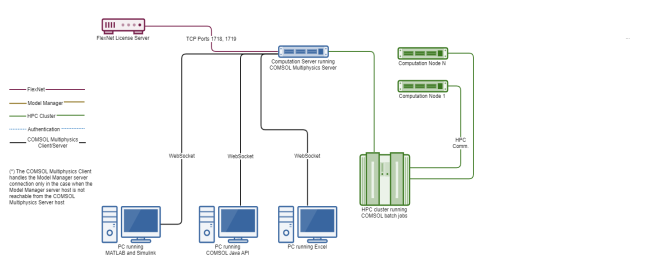
COMSOL can run together with MATLAB, Simulink, or Excel on the same machine using the client–server architecture. The command comsol mphserver matlab launches this configuration. The command
comsol matlab can be used to launch just the client and to connect to a remote server. Excel launches a COMSOL Multiphysics server when you open a model. The diagram below shows computers running MATLAB and Simulink, Excel, and the COMSOL Java API, and how they are connected to a COMSOL Multiphysics server, a FlexNet license server, and an optional HPC cluster running COMSOL batch jobs.