Use Join Entities (

) to join adjacent geometric entities in a mesh, as shown in
Figure 8-84.
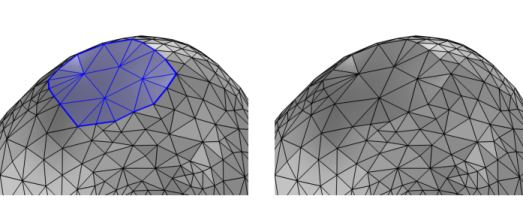
To add a Join Entities (

) node, select the domains, boundaries, or edges to join in the
Graphics window, then choose one of the following:
Define the geometric entities that you want to join. You choose the geometric entity level from the Geometric entity level list: Choose
Domain,
Boundary, or
Edge to specify the domains, boundaries, or edges, respectively, that you want to join or choose a named selection to refer to a previously defined selection. Use
All domains,
All boundaries, or
All edges to select all entities of the specified dimension.
Select the Join adjacent lower dimensional entities checkbox to also join the adjacent entities of lower dimensions (boundaries and edges for joined domains, for example).
 ) button.
 ).
).