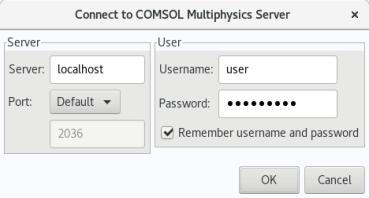
When you start COMSOL Multiphysics by, for example, entering the comsol command with no additional arguments, COMSOL Multiphysics is run as a single application that includes the functionality of both the COMSOL Multiphysics client and COMSOL Multiphysics server, as explained later in this section. However, the COMSOL client–server architecture lets you access the COMSOL Multiphysics server — the COMSOL computational engine — as a separate process. For example, the COMSOL Desktop can act as a COMSOL Multiphysics client when connected to a COMSOL Multiphysics server.
You can start a COMSOL Multiphysics client session from the COMSOL Desktop by selecting Connect to Server from the
File menu in the COMSOL Desktop. You can also start a COMSOL Multiphysics client session from a terminal window by running the
comsol command with the
client argument:
Once you have filled out this information and clicked OK, the COMSOL Multiphysics server terminal window displays information that a COMSOL Multiphysics client has connected. For more information on running COMSOL in client–server mode, see the
COMSOL Multiphysics Reference Manual.