|
•
|
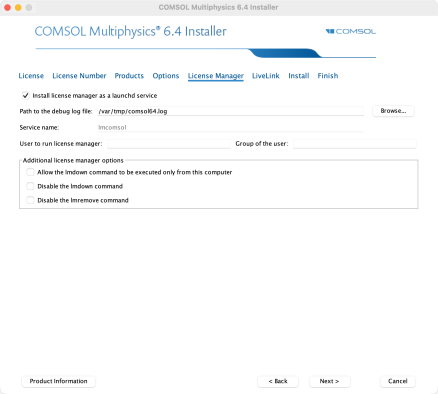
In the User to run license manager field, enter the username for the user that will run the license manager. If left empty, the root user will run the license manager, which is not recommended from a security point of view.
|
|
•
|
Optionally, specify a group the user belongs to in the Group of the user field.
|
|
2
|
|
3
|
|
5
|
Click and drag the setup executable to the terminal window. The full path should be copied to the command prompt.
|
|
6
|
In the terminal, add sudo to the start of the command.
|