The Application Libraries for the COMSOL products are updated on a regular basis by COMSOL. To open the Application Library Update window, from the
File >
Help menu (Windows users) or from the
Help menu (macOS and Linux users), select
Update COMSOL Application Libraries.
In a similar way, you can also update the COMSOL Part Libraries. To open the Part Library Update window, from the
File >
Help menu (Windows users) or from the
Help menu (macOS and Linux users), select
Update COMSOL Part Libraries.
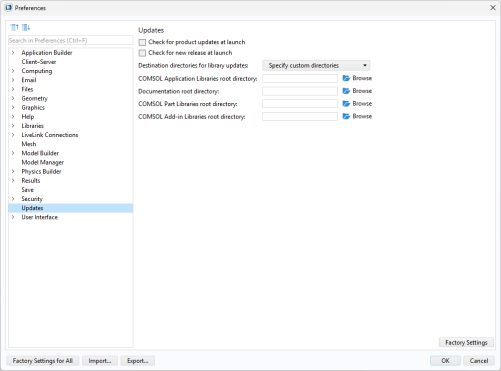
Using the Preferences window, you can set custom application and documentation directories for Application Library Update, a custom part directory for Part Library Update, and a custom add-in directory for Add-in Library Update. See the
COMSOL Multiphysics Reference Manual for more information, including command-line options for the Application Libraries and Part Libraries.