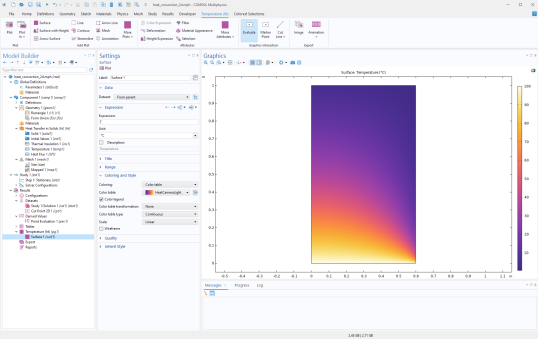
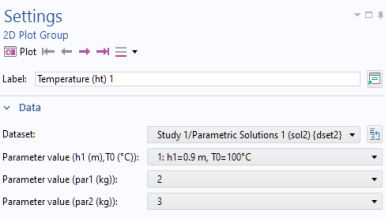
The following code evaluates the temperature at the location defined by a Cut Point 2D feature, demonstrating how to use both an
Evaluation Group and a
Derived Values feature:
Note: If you use the Record Code or
Record Method tools, the generated code will match the default user interface behavior, it writes all evaluated results into COMSOL table objects. It will not include direct assignments into
double[][] arrays or
double variables as shown above. The 2D array format is needed because each evaluation feature can compute multiple expressions or perform parametric sweeps.
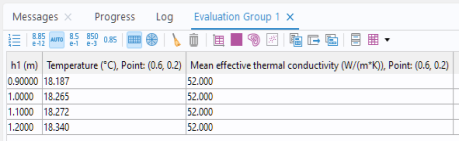
You can evaluate multiple quantities at once by using an Evaluation Group. In this example, both the temperature and the effective thermal conductivity are evaluated at the point by modifying the middle portion of the previous example:
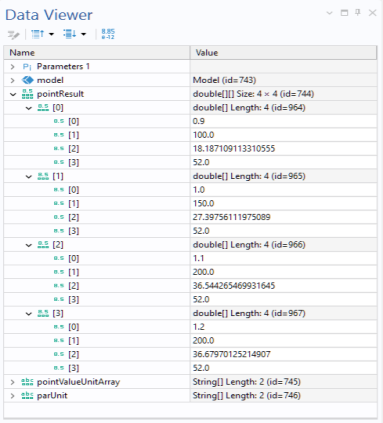
Note that the evaluation results are stored in the 2D array pointResult in the same order as shown in the
Evaluation Group table in the user interface. The first index corresponds to the sweep parameter index, and the second index corresponds to the evaluated expressions. By default, each row begins with the sweep parameter value, followed by the results of the specified expressions.
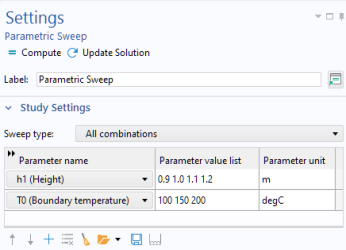
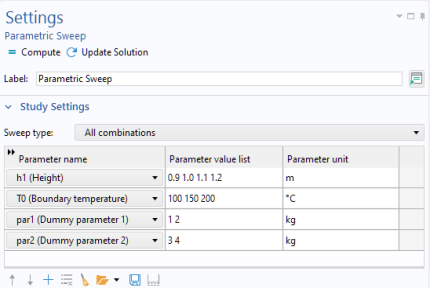
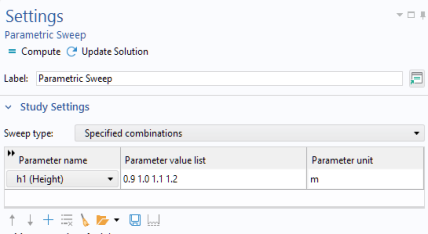
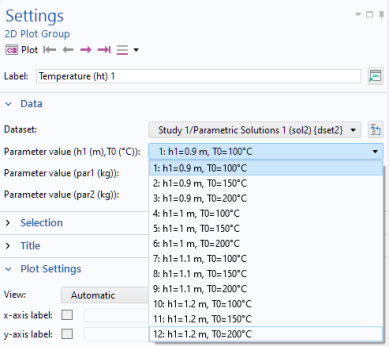
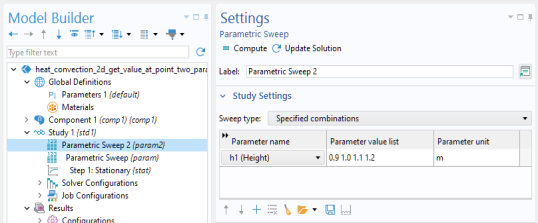
Note: When using Specific combinations, the parameter lists must have the same length, in this case 4 simulation runs, with each entry representing one combination.
The figure below shows the Parametric Sweep settings used for this configuration
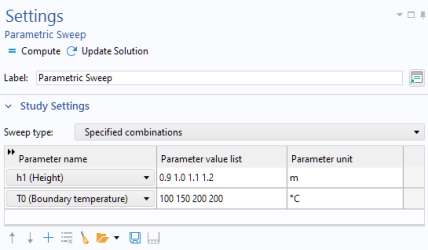
We can now use a breakpoint in the Method Editor to stop the code execution at the assignment of the
pointResult array and display the results using the
Data Viewer window:
Programmatically, this corresponds to a nested for-loop. This loop is indexed, starting from 1. Once an
Evaluation Group has been created, the indices can be retrieved using the following call:
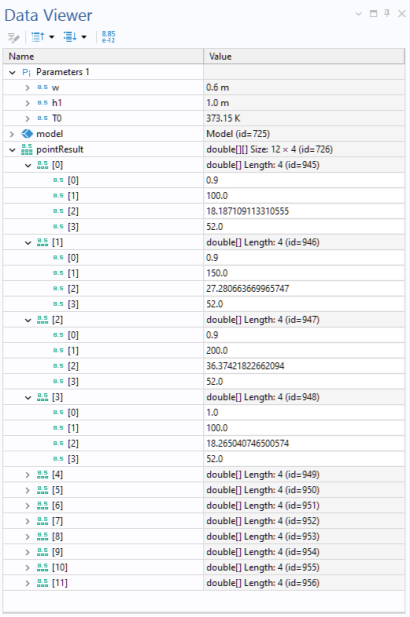
We can use a breakpoint in the Method Editor to stop the code execution at the assignment of the
pointResult array and display the results using the
Data Viewer window:
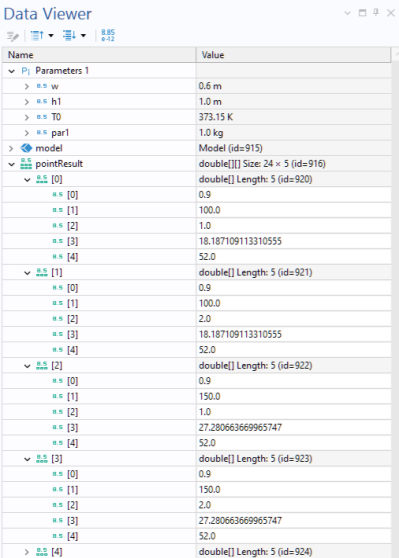
As before, we can use a breakpoint in the Method Editor to pause execution at the assignment of the
pointResult array and inspect the contents using the
Data Viewer window.
The code used for a two-parameter sweep with the All Combinations option can be generalized as follows, by modifying the latter part of the loop:
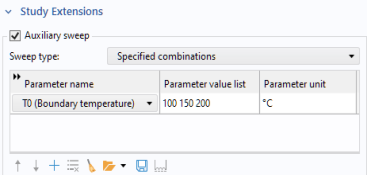
The process of extracting results using an Evaluation Group remains essentially the same, even when an auxiliary sweep is used.
The following code snippet shows how to use an Evaluation Group to retrieve the average temperature on a boundary within a method.
The feature type used in the Evaluation Group for computing an average along a line is
AvLine. Similar feature types exist for other combinations of geometric entities and evaluation operations, as summarized in the table below.
The following code snippet shows how to use an Evaluation Group to retrieve the number of degrees of freedom at each step of a parametric sweep within a method.
Note: As an alternative to using Evaluation Group features such as
AvLine and
MaxVolume, you can define a nonlocal coupling operator under
Component >
Definitions >
Nonlocal Couplings, and then evaluate it as a global quantity.
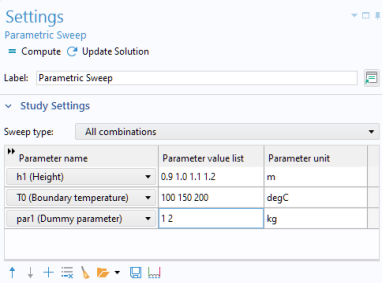
Instead of using a single Parametric Sweep feature with the
All combinations or
Specified combinations option, you can use multiple nested
Parametric Sweep nodes. Accessing results from a nested sweep is very similar to retrieving data from a sweep that uses only one
Parametric Sweep node.
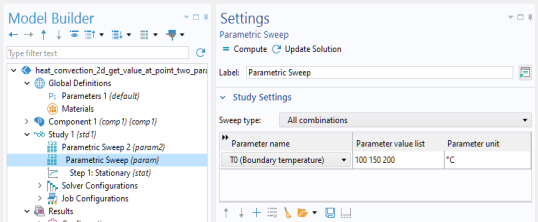
This sweep can also be performed by nesting two Parametric Sweep nodes, as illustrated in the figures below.
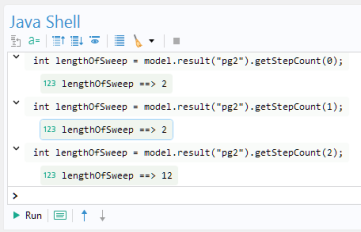
Here, the argument to getStepCount represents the parameter index. However, note that
getStepCount belongs to a different part of the API that is more tightly linked to the solution data structures. As a result, the ordering of parameters differs from that of an Evaluation Group.
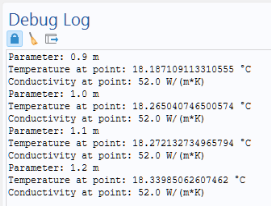
If you want to clear the Debug Log window before running the method, you can call the
clearDebugLog() method.
However, keep in mind that the primary purpose of these examples is not to print results to the Debug Log window, but rather to illustrate how data can be retrieved, processed, and used in other methods or incorporated into simulation apps.
As an alternative to using an Evaluation Group, one can instead use a
SolutionInfo object. This technique is more general but also more advanced.
The following method updateOutputTimeList is part of an app where a Combo Box form object is used to select the output time used for evaluation and visualization.
The method evaluates a dummy expression, "1", to retrieve the first and last output times. As an alternative, one can use the
SolutionInfo method described in the section
Accessing a Subset of a List of Output Times.
is used to dynamically update choicelist1, which is used by a Combo Box in the app’s user interface.
Specifically it creates an Evaluation Group named eg1 and sets its dataset to
dset2, which contains results from a parametric eigenfrequency sweep.
It uses dummy expression 1 to trigger evaluation at the selected sweep points. It manually selects which parametric indices and eigenmode indices to evaluate: