Email Methods
Email methods are used for sending emails from an application, typically with attachments containing results from a simulation.
Email Class Methods
The class EmailMessage can be used to create custom email messages.
Creates a new EmailMessage object.
Sets the connection security type for email (SMTP) server communication. Valid values are 'none', 'starttls', and 'tls'. This method must be called after the setServer method.
Each to, cc, and bcc address string can contain multiple email addresses separated by a comma or a semicolon character. Whitespace is allowed before and after the separator character.
Email Preferences
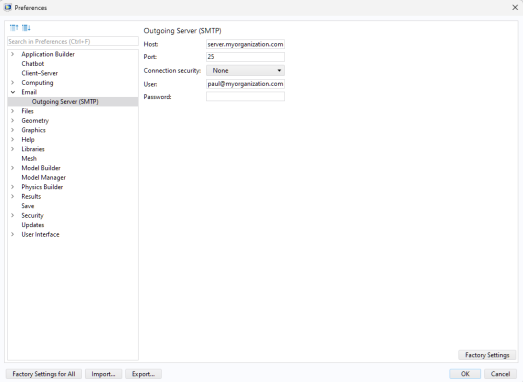
To set general email preferences, open the Email page of the Preferences window. There you can specify a From address and a Default to address. To set preferences for an outgoing email (SMTP) server, open the Outgoing Server (STMP) page under the Email page, as shown in the figure below.
COMSOL Server provides a similar set of email preferences.
Example Code
The following code configures the email server settings, sends an email, and attaches a report:
/**
* Sends an email with the simulation report attached.
*/
 
EmailMessage mail = new EmailMessage();
// Custom email server settings used
if (isOverrideEmail) {
mail.setServer(emailServerHost, emailServerPort);
mail.setUser(emailUser, util1.password);
mail.setSecurity(emailSecurity);
mail.setFrom(emailFromAddress);
}
mail.setTo(emailTo);
mail.setSubject(translate("Tubular_reactor_simulation", true));
mail.setBodyText(translate("The_computation_has_finished._please_find_the_report_attached"));
mail.attachFromModel(model.result().report("rpt1"));
mail.send();
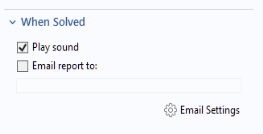
This code is run in the Tubular Reactor application, which is available as an application example in the Application Libraries. The figure below shows part of the user interface with an input field for the email address.
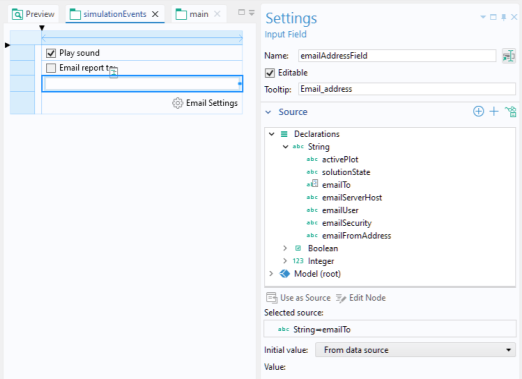
The figure below shows the corresponding form object and Settings window.