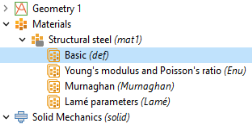
A material, represented in the Model Builder by a Materials node, is a collection of property groups, where each property group defines a set of material properties, material functions, and model inputs that can be used to define, for example, a temperature-dependent material property. A property group usually defines properties used by a particular material model to compute a fundamental quantity.
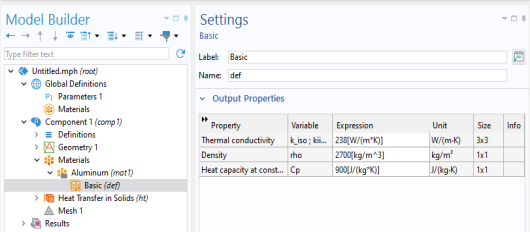
The resulting model tree and Material node settings are shown in the figure below.
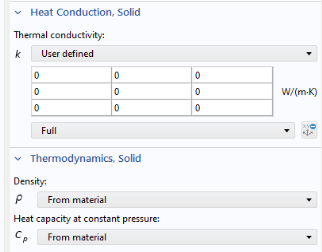
Note that some physics interfaces do not require a material to be defined. Instead, the corresponding properties can be accessed directly in the physics interface. This is also the case if the physics model settings are changed from From material to
User defined. For example, for the
Heat Transfer in Solids interface, this setting can be found in the
Settings window of the subnode
Solid, in the sections
Heat Conduction, Solid and
Thermodynamics, Solid, as shown in the figure below.
Use Record Code or any of the other tools for automatic generation of code to learn more about the syntax and methods for materials.