|
•
|
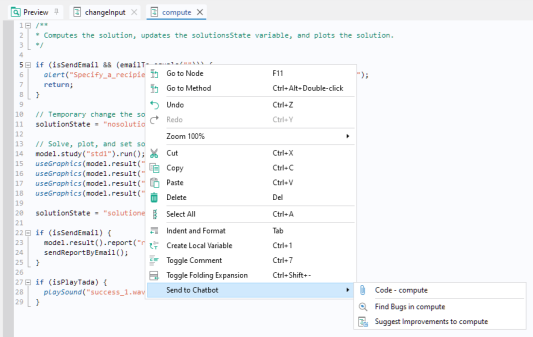
Code: Attach the method to a prompt in the Chatbot window and then ask about some aspect of the method.
|
|
•
|
Find Bugs in method1: Attach the method to a prompt in the Chatbot window with a suitable text for getting help with debugging.
|
|
•
|
Suggest Improvements to method1: Attach the method to a prompt with a suitable text for getting suggestions for improvements.
|