Variables defined in the Declarations node in the application tree are directly available as global variables in a method and need no further declarations.
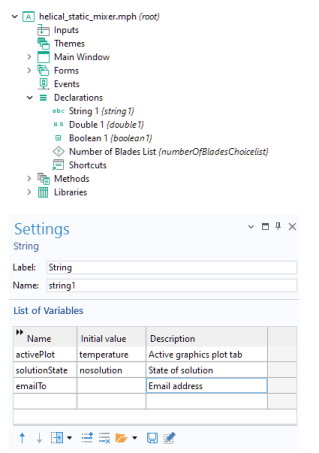
Variables declared in methods will have local scope unless you specify otherwise. The Declarations node directly supports integers (
int), doubles (
double), and Booleans (
boolean). In addition, strings are supported (see
Strings and Java Objects). In the
Declarations node, variables can be scalars, 1D arrays, and 2D arrays.
To simplify referencing form objects as well as menu, ribbon, and toolbar items by name, you can create shortcuts with a custom name. These names are available in the Declarations node under
Shortcuts. They are directly available in methods along with the other global variables defined under
Declarations. For more information on shortcuts, see
Shortcuts.
In addition, under the Declarations node, you can add declarations for:
Choice List,
File,
Unit Set,
File Type, and
Graphics Data. For more information on these types of declarations, see also the
Introduction to the Application Builder.
Variables can also be defined as Form Declarations under each respective form node in the application tree.
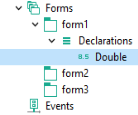
Form declarations can be of the types Scalar,
Array 1D,
Array 2D, and
Choice List. Global declarations are exposed to all user-interface components of the application whereas form declarations are only exposed to the form that they are defined in and the form objects within that form. Form declarations are used to limit the scope of variables and thereby logically separate the different parts of an application.