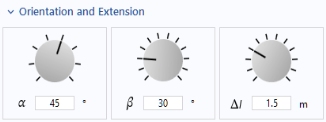
A Knob is a form object for choosing numerical input using a control knob, similar to a slider.
The Settings window of one of the knobs is shown in the figure below.
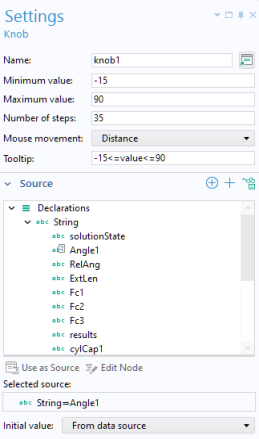
In this example, the knob uses a string variable Angle1 as its source. You can select any parameter, variable, or declared scalar variable as a source. Select from the application tree and click
Use as Source.
The Mouse movement can be
Distance,
Vertical, or
Circular.
Distance changes the value with a linear mouse movement in any direction.
Vertical changes the value when you move the mouse vertically.
Circular changes the value when you make a circular mouse movement. A physical control knob is usually controlled with a circular movement. However, when using a mouse this is usually not the most convenient way. Instead, use a linear mouse movement by selecting
Distance or
Vertical.
You can also set a Tooltip that is shown when hovering over the knob. The settings for units are similar to that of a slider.
In the Initial value list, select
From data source or
Custom value for the initial value for the knob.
In the Events section, in addition to specifying which method to call for an
On data change event, you can select the
Trigger while dragging checkbox. This setting determines if the event method should be called continuously while the knob is being dragged or only upon its release.
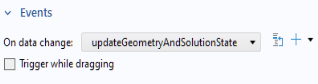
This setting can be useful if the method that is called by the On data change event is computationally heavy, so that there is a lag when dragging the knob.