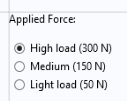
A Radio Button object has a fixed number of options from which you can choose one. It is most useful when you have just a handful of options.
The corresponding Settings window is shown below, where the global parameter
F is used as the source.
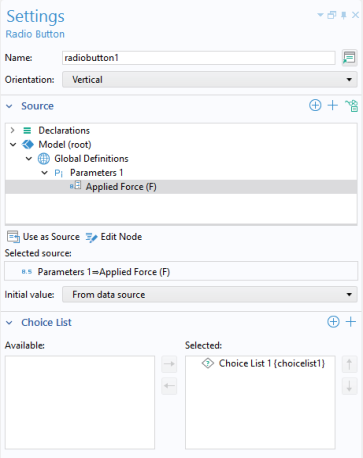
In the Initial value list, choose the manner in which the initial selection of the radio button should be made. The options are
From data source,
First allowed value (the default), and
Custom value. For the
Custom value option, select from a list of the allowed values given by the choice list.
In the Choice List section, you can add choice lists that contribute allowed values to the radio button object, where each valid value represents one radio button.
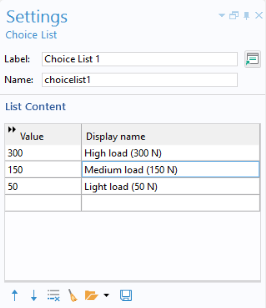
The radio button names are taken from the Display name column of their associated choice list. The figure below shows the choice list used in this example.
If the radio button will be used for the purpose of changing units, then a Unit Set can be used instead of a
Choice List (You still select it in the
Choice List section of the
Settings window of the radio button object).