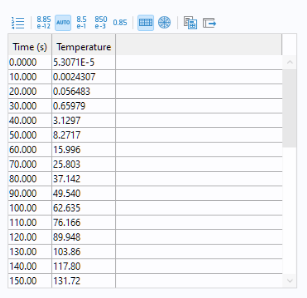
The Results Table object is used to display numerical results in a table.
The source of the results table data is taken from Results and can be a child node of
Derived Values, a
Table, or an
Evaluation Group. In the figure below, a
Table node is used as the source (by selecting this option in the tree and then clicking
Use as Source.)
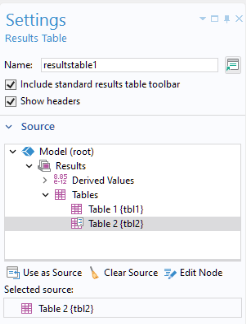
By clearing the Show headers checkbox, you can choose to hide the column headers of the results table.
The Include standard results table toolbar checkbox is selected by default. When selected, a toolbar is included that provides the following buttons:
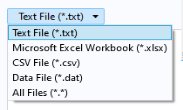
The Export button is used to export to the following file formats:
There is a built-in method useResultsTable() for changing which table is shown in a particular results table form object. For more information on this built-in method, see
GUI-Related Methods.
By using the loadFile method you can import data into a table and then display it using a results table form object or a table surface plot. For examples of this, see the
Application Programming Guide in the
Results section.