|
•
|
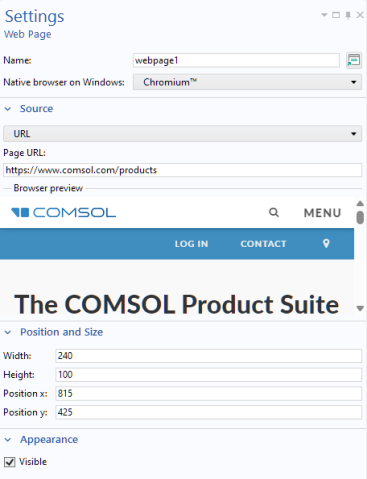
Use the default option Page to enter HTML code in a text area below the list, enclosed by the <html> and </html> start and end tags.
|
|
•
|
Use the URL option to link to a web page on the Internet.
|
|
•
|
Use the File option to point to a local file resource containing HTML code. Type the name of the file in the File field or click Browse to locate the file on the local file system.
|
|
•
|