Checkbox
A Checkbox has two values: on for selected and off for cleared. The state of a checkbox is stored in a Boolean variable in the Declarations node.
Using a Checkbox to Control Visualization
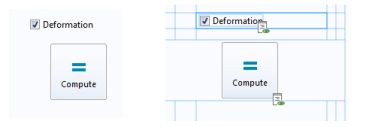
The figure below is from an application where a deformation plot is disabled or enabled, depending on whether the checkbox is selected.
The screenshot on the left shows the running application. The screenshot on the right shows the corresponding form objects in grid layout mode.
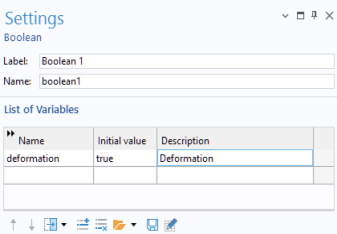
In the example below, the state of the checkbox is stored in a Boolean variable deformation, whose Settings window is shown in the figure below.
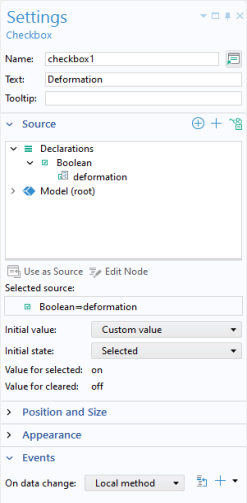
The figure below shows the Settings window for the checkbox.
You associate a checkbox with a declared Boolean variable by selecting it from the tree in the Source section and clicking Use as Source.
The text label for a checkbox gets its name, by default, from the Description field of the Boolean variable with which it is associated.
The Initial value of the variable deformation is overwritten by the Value for selected (on) or the Value for cleared (off) and does not need to be edited. When used in methods, the values on and off are aliases for true and false, respectively. These values can be used as Booleans in if statements, for example.
The code statements below come from a local method that is run for an On data change event when the value of the Boolean variable deformation changes.
model.result("pg1").feature("surf1").feature("def").active(deformation);
useGraphics(model.result("pg1"), "graphics1");
Using a Checkbox to Enable and Disable Form Objects
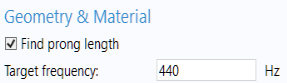
The figure below shows a part of an application where certain input fields are disabled or enabled, depending on if the checkbox is selected.
The figure below shows the Settings window for a checkbox associated with a Boolean variable isFindLength used to store the state of the checkbox.
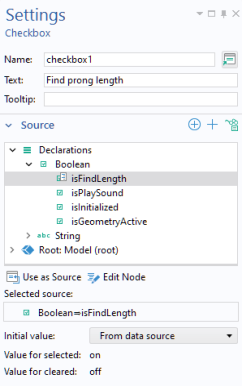
The code statements below come from a method that is run for an On data change event when the value of the Boolean variable isFindLength changes.
prongLengthInput.set("editable", !isFindLength);
targetFrequencyText.set("enabled", isFindLength);
targetFrequencyInput.set("enabled", isFindLength);
targetFrequencyUnit.set("enabled", isFindLength);
frequencyToleranceText.set("enabled", isFindLength);
frequencyToleranceInput.set("enabled", isFindLength);
frequencyToleranceUnit.set("enabled", isFindLength);