Workflow When Creating and Editing Add-ins
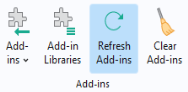
When creating and editing add-ins, you will find it useful to have two sessions of COMSOL Multiphysics open at the same time: one session for the original add-in MPH file where you work mostly in the Application Builder, and one session for testing the add-in in the Model Builder. When testing an add-in using the Model Builder, make sure to test for a great variety of models, including models of different spatial dimensions as well as models with more than one model component. Use the
Refresh Add-ins
button to make sure you always use an updated version of the add-in you are editing.