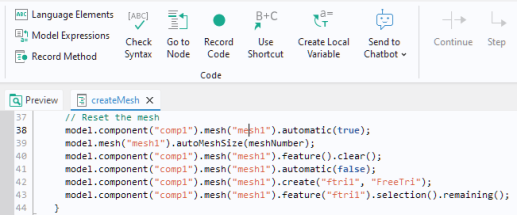
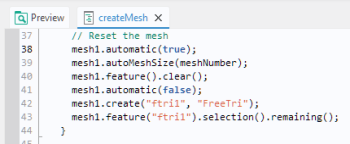
The Use Shortcut button is used to simplify code by replacing these instances with a variable name.
In the example above, the mouse pointer has been positioned at mesh1 at the first occurrence of
model.component("comp1").mesh("mesh1"). Click the
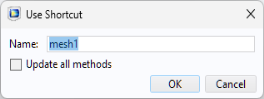
Use Shortcut button to open the
Use Shortcut dialog as shown below.
The code starting with the prefix model.component("comp1").mesh("mesh1") has been replaced with the variable
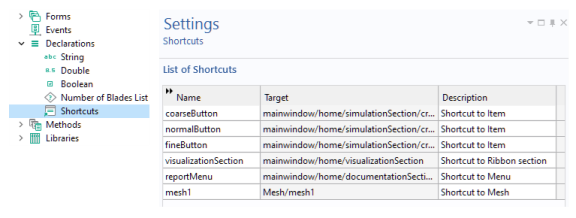
mesh1. This variable is stored as a shortcut in the
Declarations node, as shown in the figure below together with the corresponding
Settings window.
If you instead position the mouse pointer at comp1, then the first part
model.component("comp1") will be replaced with a variable
comp1.