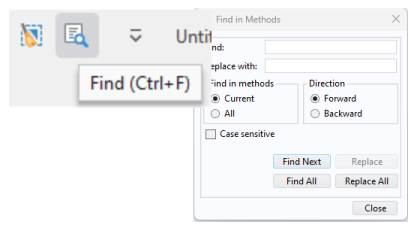
Click Find in the Quick Access Toolbar, or user the keyboard shortcut Ctrl+F, to open the
Find in Methods dialog used to find and replace strings in methods, as shown in the figure below.
In the Form Editor and Main Window Editor, a different Find and Replace window is used. This tool is identical to the
Find and Replace functionality used in the Model Builder.