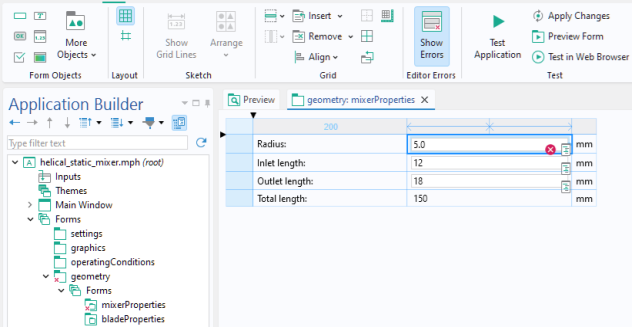
Show Errors
When using the Form Editor or Main Window Editor, there is a toggle button
Show Errors
in the ribbon.
When enabled, any object that is in an error or warning state, for example, a missing source for an input field object, will show an icon in the corner of that object. In addition, a similar error or warning icon will be shown in the application tree. This makes it easy to locate errors in a form or main window design. By default, the
Show Errors
button is disabled.