A Text Label object simply displays text in a form. When adding an input field using the Form Wizard, a
Text Label object is automatically added for the description text of the associated parameter or variable. There is a checkbox allowing for
Multiline text. If selected, the
Wrap text checkbox is enabled. The figure below shows the Settings window for a
Text Label object.
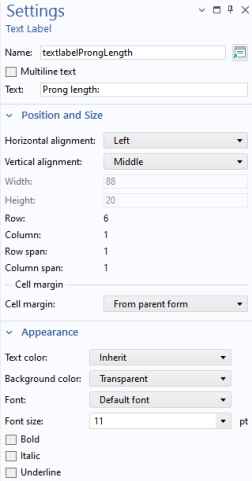
To insert an additional Text Label, click the
Text Label button in the ribbon
Form tab, in the
Form Objects section. The contents of the section
Position and Size will change depending on if you are working in sketch layout mode or grid layout mode.