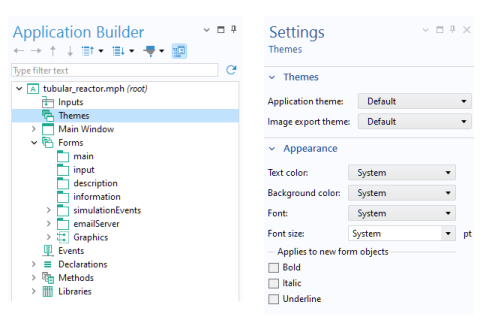
The Settings window for
Themes is displayed when you click the
Themes node in the application tree. It lets you change the overall appearance of the user interface and forms with settings for
Application theme,
Image export theme,
Text color,
Background color,
Font,
Font size,
Bold,
Italic, and
Underline.