Parameters, Variables, and Scope
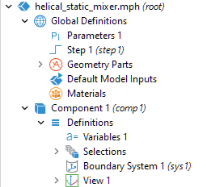
The model tree may contain both parameters and variables that are used to control the settings of a model. The figure below shows the model tree of an application with nodes for both Parameters and Variables.
Parameters are defined under the Global Definitions node in the model tree and are user-defined constant scalars that are usable throughout the Model Builder. That is to say, they are “global” in nature. Important uses are:
Variables can be defined in either the Global Definitions node or in the Definitions subnode of any model Component node. A globally defined variable can be used throughout a model, whereas a model component variable can only be used within that component. Variables can be used for spatially or time-varying expressions, including dependent field variables for which you are solving.
In the Model Builder, a parameter or variable is a string with the additional restriction that its value is a valid model expression. For more information on the use of parameters and variables in a model, see the book Introduction to COMSOL Multiphysics.
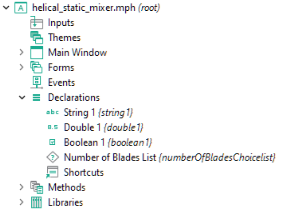
An application may need additional global variables for use in the Form Editor and the Method Editor. Such variables are declared in the Application Builder under the Declarations node in the application tree. The figure below shows the application tree of an application with multiple declarations.
You can also declare variables that are local to forms, also known as form declarations. When applicable, the option to create local form declarations is available by right-clicking a form node in the application tree.
The declared variables in the Application Builder are typed variables, including scalars, arrays, Booleans, strings, integers, and doubles. Before using a variable, you have to declare its type.
The fact that these variables are typed means that they can be used directly in methods without first being converted using one of the built-in methods. This makes it easier to write code with typed variables than with parameters and variables representing model expressions. However, there are several tools available in the Application Builder for converting between the different kinds of variables. For more information, see Declarations and Appendix E — Built-In Method Library. For more information on typed variables, see the Application Programming Guide.