|
1
|
|
1
|
|
3
|
|
4
|
|
7
|
|
8
|
|
3
|
|
4
|
|
4
|
|
4
|
|
4
|
|
5
|
 click on the Transport of Concentrated Species 2 (tcs2)
  interface.
 , locate the Species section.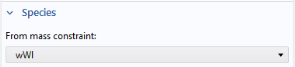
 under Component 2 (comp2)
  > Transport of Concentrated Species 2 (tcs2)
  .
. node.
node. > Transport of Concentrated Species 2 (tcs2)
  > Initial Values 1.
 > Transport of Concentrated Species 2 (tcs2)
  right-click Transport Properties 1 and choose Duplicate
  .
. and choose Mass Fraction
  .
. and choose Mass Fraction
  .
. and choose Outflow
  .
. and choose Reaction Sources
  .
.