 including the five species needed for this model: hydrogen, methane, benzene, toluene, and biphenyl.
|
2
|
In the Settings window for Mixture Property, type hF_mixture in the Function name text field.
|
 and choose Thermodynamic System
  .
. button in the window toolbar to proceed to the Select Species window.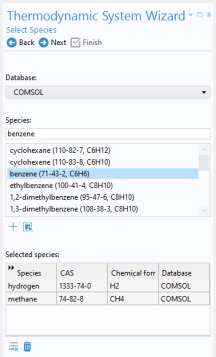
 button to add it to the Selected species list.
 button in the window toolbar to proceed to the Select Thermodynamic Model window.
 button. This adds the node Vapor–Liquid System 1
  to under Thermodynamics in the Model Builder tree.
 , to define a mixture function for the enthalpy of formation. This is needed for the heat source in the Reaction Engineering interface.
 and choose Mixture Property
  ).
). .
. in the window toolbar to go to the Select Phase step.
 to go to the Select Species step.
 to add all available species.
 to go to the Mixture Property Overview.
  in the window toolbar.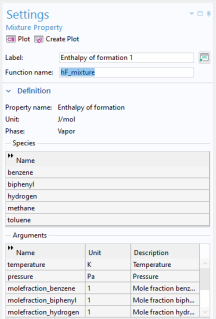
 found under
 > Vapor–Liquid System 1
  > Mixture > Vapor.