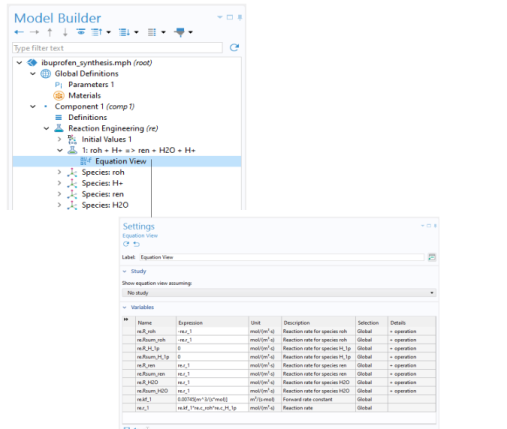
) and select Equation View in the Show More Options dialog. Expand any node, for example the Reaction or Species nodes, and click the Equation View node to see the page where the definition of all the variables used by a specific node are listed (Figure 2-4).