|
5
|
|
1
|
In the Settings window for 2D Plot Group, type Nitrogen Species Molar Fractions in the Label text field.
|
|
1
|
In the Settings window for Surface, type Surface, NH3 (SCR) in the Label text field.
|
|
5
|
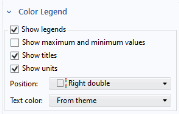
In the Color legend title text field, type NH<sub>3</sub> (SCR).
|
|
12
|
In the Settings window for Surface, type Surface, NH3 (SCR) in the Label text field.
|
|
2
|
In the Settings window for Surface, type Surface, NH3 (ASC) in the Label text field.
|
|
3
|
Locate the Coloring and Style section. In the Color legend title text field, type NH<sub>3</sub> (ASC).
|
|
6
|
|
10
|
In the Label text field, type Surface, NO (SCR).
|
|
2
|
In the Settings window for Surface, type Surface, NO (ASC) in the Label text field.
|
|
2
|
In the Settings window for Surface, type Surface, NO2 (SCR) in the Label text field.
|
|
6
|
In the Color legend title text field, type NO<sub>2</sub> (SCR).
|
|
2
|
In the Settings window for Surface, type Surface, NO2 (ASC) in the Label text field.
|
|
3
|
Locate the Coloring and Style section. In the Color legend title text field, type NO<sub>2</sub> (ASC).
|
|
3
|
In the Text field, type NH$_3$.
|
|
3
|
In the Text field, type NO$_2$.
|
|
2
|
In the Settings window for 2D Plot Group, type Drive Cases, ANR = 1.3, T, U, and dP in the Label text field.
|
|
2
|
In the Settings window for Surface, type Velocity in the Label text field.
|
|
10
|
In the Settings window for Annotation, type U in the Label text field.
|
|
2
|
In the Settings window for Surface, type Pressure in the Label text field.
|
|
8
|
In the Settings window for Annotation, type dP in the Label text field.
|
|
2
|
In the Settings window for Surface, type Temperature in the Label text field.
|
|
12
|
In the Settings window for Annotation, type T in the Label text field.
|
|
2
|
In the Settings window for 1D Plot Group, type Conversions, NH3 and NOx, All Cases in the Label text field.
|
|
2
|
In the Settings window for Line Graph, type NH3 center in the Label text field.
|
|
7
|
In the Expression text field, type (0.4-z)*pi*d_cat^2/4.
|
|
13
|
Find the Prefix and suffix subsection. In the Prefix text field, type NH<sub>3</sub> center, .
|
|
2
|
In the Settings window for Line Graph, type NOx center in the Label text field.
|
|
7
|
|
2
|
In the Settings window for Line Graph, type NH3 edge in the Label text field.
|
|
7
|
|
1
|
|
2
|
In the Settings window for Line Graph, type NOx edge in the Label text field.
|
|
6
|
|
2
|
In the Settings window for 1D Plot Group, type Temperature Difference Along Reactor Axis in the Label text field.
|
|
6
|
Select the x-axis label checkbox. In the associated text field, type Bed position along reactor axis (m).
|
|
2
|
In the Settings window for Line Graph, type Temperature At Reactor Center in the Label text field.
|
|
2
|
n the Settings window for Line Graph, type Temperature At Bed Edge in the Label text field.
|
|
9
|
|
2
|
In the Settings window for Line Average, type Line Average SCR Outlet in the Label text field.
|
|
2
|
In the Settings window for Line Average, type Line Average Reactor Outlet in the Label text field.
|
 Zoom Extents button in the Graphics toolbar.
 Activate Selection toggle button.
 Activate Selection toggle button.
 Activate Selection toggle button.
 Zoom Extents button in the Graphics toolbar.
 Plot.
Plot. Plot.
Plot. Plot.
Plot. 2D Plot Group.
 Surface.
 Annotation.
 Surface.
 Annotation.
 Surface.
 Selection.
 Annotation.
 Zoom Extents button in the Graphics toolbar.
 Plot.
Plot. 1D Plot Group.
 Line Graph.
 Clear Selection.
 Clear Selection.
 Zoom Extents button in the Graphics toolbar.
 Plot.
Plot. 1D Plot Group.
 Clear Selection.
 Zoom Extents button in the Graphics toolbar.
 Plot.
Plot. More Derived Values and choose Average > Line Average.
 next to
  Evaluate, then choose New Table.
 next to
  Evaluate, then choose New Table.