Mesh 1
The physics-induced mesh automatically introduces a mesh that is a bit finer on the walls than the free stream mesh. It also refines the mesh at sharp corners and adds a boundary layer mesh. The finer mesh on the walls is not critical in this model since most of the turbulence is produced in the shear layers between the jet and the recirculation zones. The boundary layer mesh can also be coarsened in order to save computational time.
1
In the Model Builder under Component 1 click Mesh 1
.
2
In the Settings window for Mesh, locate the Physics-Controlled Mesh section. From the Element size list, choose Coarser.
Size 2
1
Go to the Mesh toolbar and click Edit
.
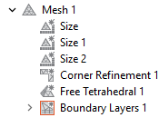
A mesh sequence as shown below appears. It contains suggestions made by the physics interface. The asterisk on each of the mesh features indicates that the features are not yet built.
2
Right-click Size 2
and choose Disable
.
Boundary Layer Properties 1
1
In the Model Builder, expand the Component 1 > Mesh 1 > Boundary Layers 1
node, then click Boundary Layer Properties 1
.
2
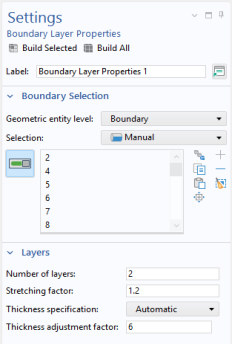
In the Settings window for Boundary Layer Properties locate the Boundary Layer Properties section.
-
In the Number of boundary layers text field, type
2
.
-
In the Thickness adjustment factor text field, type
6
.
3
Click the Build All
button.
4
In the Model Builder, collapse the Mesh 1 node.
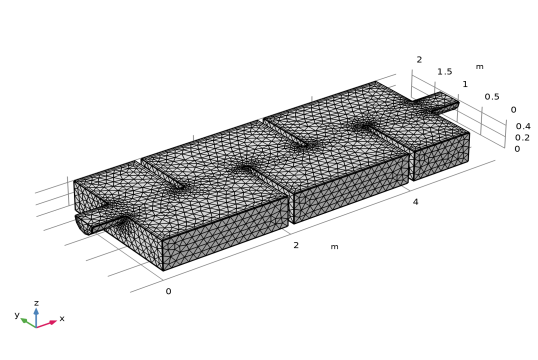
The mesh is now complete and should match the figure below. The mesh can differ slightly depending on which computer architecture you use. The mesh in the figure is built on a Windows computer, and will look similar, but not identical, if built on, for example, a Mac or Linux computer.
 .
. .
.
 and choose Disable
  .
. node, then click Boundary Layer Properties 1
  .
.
 button.