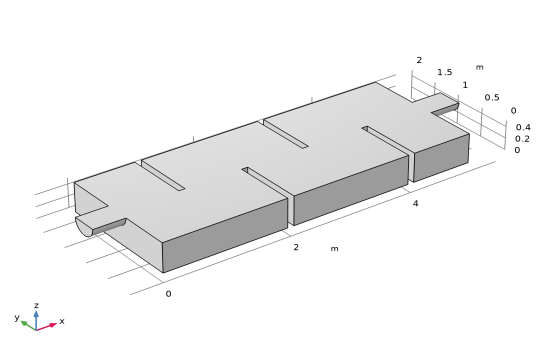
Geometry 1
You can build the reactor geometry from geometric primitives. Here, instead use a file containing the sequence of geometry features that has been provided for convenience.
Note:
The location of the file used in this exercise varies based on your installation. For example, if the installation is on your hard drive, the file path might be similar to
C:\Program Files\COMSOL\COMSOL64\Multiphysics\applications\
.
1
In the Geometry toolbar click Insert Sequence
.
2
Browse to the application library folder and double-click the file
\CFD_Module\Single-Phase_Flow\water_purification_reactor_geom_sequence.mph
.
3
In the Home toolbar click Build All
.
The geometry sequence is now inserted into your component and should look like the figure below.