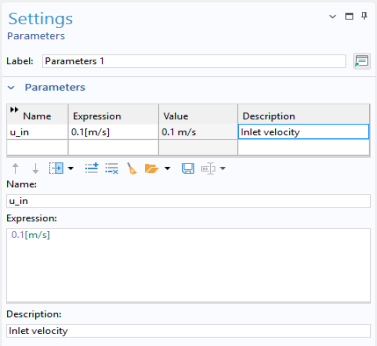
Global Definitions — Parameters
The first task is to define a parameter for the inlet velocity. Parameters can be used to run parametric studies.
1
In the Home toolbar click Parameters
and select Parameter 1
.
The Home toolbar refers to the specific set of controls near the top of the Desktop.
2
Go to the Settings window for Parameters. In the table, enter the following settings:
-
In the Name text field, enter
u_in
.
-
In the Expression text field, enter
0.1[m/s]
.
-
In the Description text field, enter
Inlet velocity
.