Finding and Removing Sliver Faces
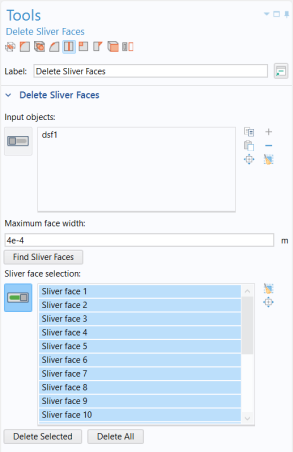
Slivers are faces with a high aspect ratio, just like the ones next to those small faces you have just deleted.
1
From the toolbar on the top of the Tools window, click the Delete Sliver Faces
button.
2
Enter
4e-4
for the Maximum face width, then click Find Sliver Faces.
A total of 20 faces are found. In addition to the ten slivers around the bolt holes, there are ten more on the spokes. Use the Zoom to Selection
button to find their location on the rim.
3
Click the Delete All button.
The tool removes sliver faces by collapsing them into an edge, and in this process it uses the tolerance specified for the search. For best results the tolerance needs to be close to the actual width of the face that is deleted. If it happens that a sliver cannot be deleted you can edit the settings for the operation to set a tolerance that is just slightly larger than the width of the face.
 button.
 button to find their location on the rim.