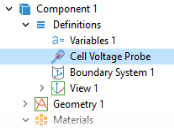
Definitions
Before solving, add also a probe for an automatically defined voltage variable created by the Electrode Current condition at the positive tab. Since the negative tab is grounded, this voltage corresponds to the cell voltage. The probe will store the cell voltage for every time step taken by the solver in a table, and a dynamically updated plot of the cell voltage will also be available while solving.
Cell Voltage Probe
1
In the Definitions toolbar, click
Probes and choose Global Variable Probe.
2
In the Settings window for Global Variable Probe, type
Cell Voltage Probe
in the Label text field.
3
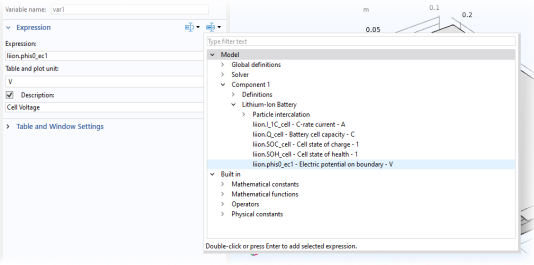
Click Replace Expression in the upper-right corner of the Expression section. From the menu, choose Component 1 (comp1) > Lithium-Ion Battery > liion.phis0_ec1 - Electric potential on boundary - V.
4
Select the Description checkbox. In the associated text field, type
Cell Voltage
.
 Probes and choose Global Variable Probe.