Add Materials
Most of the required material parameters are available in the material libraries. First add Copper and Aluminum for the current conductors.
1
In the Materials toolbar, click
Add Material to open the Add Material window.
2
Go to the Add Material window.
3
In the tree, select both Built-in > Aluminum and Built-in > Copper.
4
Click the Add to Component button in the window toolbar.
Next add the material properties for the electrolyte and electrode materials.
1
Go to the Add Material window.
2
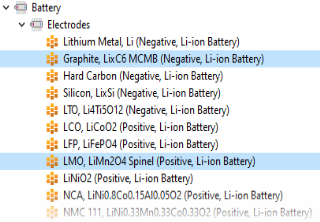
In the tree, select both Battery > Electrodes > Graphite, LixC6 MCMB (Negative, Li-ion Battery) and Battery > Electrodes > LMO, LiMn2O4 Spinel (Positive, Li-ion Battery).
3
Click the Add to Component button in the window toolbar.
4
Similarly, in the tree, select Battery > Electrolytes > LiPF6 in 3:7 EC:EMC (Liquid, Li-ion Battery) and click the Add to Component button in the window toolbar.
5
In the Materials toolbar, click
Add Material to close the Add Material window.
A red cross may show at the Aluminum node at this point, indicating missing material properties. This is expected and will be fixed later when setting up the physics. Also, no selection warnings may be seen at the other material nodes.
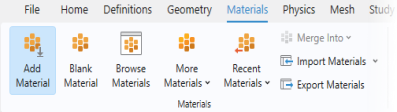
 Add Material to open the Add Material window.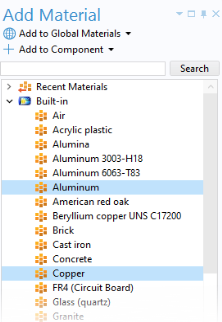
 Add Material to close the Add Material window.