Study 2
1
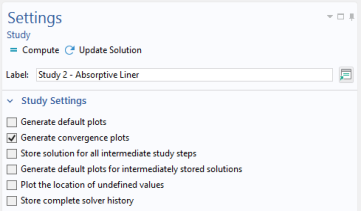
In the Model Builder click Study 2
.
2
In the Settings window for Study under the Study Settings section, click to clear the Generate default plots checkbox.
Step 1: Frequency Domain
1
Under Study 2 click Step 1: Frequency Domain
.
2
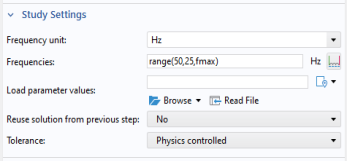
In the Settings window for Frequency Domain locate the Study Settings section.
3
In the Frequencies text field enter
range(50,25,fmax)
.
4
In the Settings window or Home toolbar click Compute
.
 .
.
 .
.
 .
.