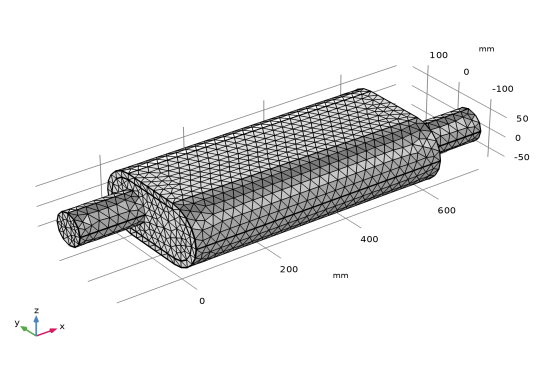
Mesh 1
Proceed and generate the mesh using the Physics-controlled mesh functionality. In general, 5 to 6 second-order elements per wavelength are needed to resolve the waves. For more details see the
Acoustics Module User’s Guide
. In this model we use the default Automatic option, which gives 5 elements per wavelength.
1
In the Model Builder window, under Component 1 (comp1) click Mesh 1.
2
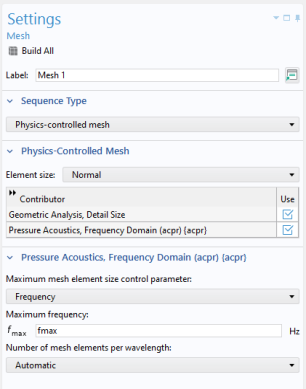
In the Settings window for Mesh, locate the Pressure Acoustics, Frequency Domain (acpr) section.
3
From the Maximum mesh element size control parameter list, choose Frequency.
4
In the Maximum frequency text field, type
fmax
.
5
Click the Build All button
.
The mesh should look like the image below.
 .
.