Model Wizard - Add a Second Study
Now, set up the model for computing the frequency-dependent impedance.
1
In the Home toolbar click Add Study
.
2
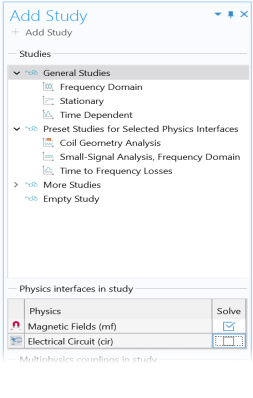
In the Add Study window click Frequency Domain
.
3
In the Physics interfaces in study table, under Solve, click to clear the check mark
, which removes the Electrical Circuit (cir) interface.
4
Click
Add Study.
5
Close the Add Study window.
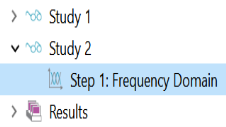
A Study 2 node with a Frequency Domain study step is added to the Model Builder.
 .
.
 .
. , which removes the Electrical Circuit (cir) interface.
 Add Study.