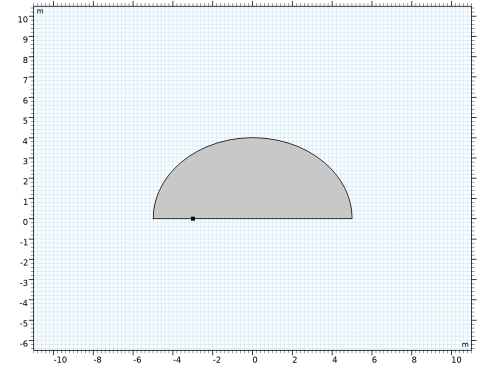
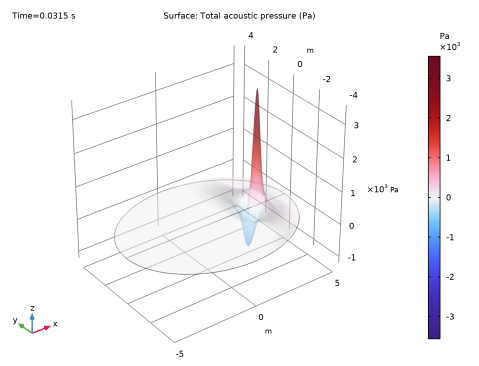
|
|
|
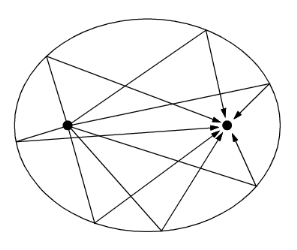







|
1
|
|
2
|
In the Select Physics tree, select Acoustics > Pressure Acoustics > Pressure Acoustics, Transient (actd).
|
|
3
|
Click Add.
|
|
4
|
Click
 Study. Study. |
|
5
|
|
6
|
Click
 Done. Done. |
|
1
|
|
2
|
|
3
|
|
4
|
|
5
|
|
1
|
|
2
|
|
3
|
|
4
|
Click
 Build All Objects. Build All Objects. |
|
5
|
|
1
|
|
2
|
|
1
|
|
2
|
Go to the Add Material window.
|
|
3
|
|
4
|
Click the Add to Component button in the window toolbar.
|
|
5
|
|
1
|
|
3
|
|
4
|
|
5
|
|
6
|
|
7
|
|
1
|
|
2
|
|
3
|
|
1
|
|
2
|
|
3
|
|
1
|
|
2
|
|
1
|
|
2
|
|
3
|
|
4
|
|
5
|
|
1
|
|
2
|
|
3
|
|
4
|
|
5
|
|
1
|
|
2
|
|
3
|
|
4
|
|
5
|
|
6
|
|
7
|
|
1
|
|
2
|
|
3
|
|
4
|
Locate the Plot Parameters section. In the table, enter the following settings:
|
|
5
|
Click
 Create Plot. Create Plot. |
|
1
|
|
2
|
Locate the Plot Settings section.
|
|
3
|
|
4
|
|
5
|
|
1
|
|
2
|
|
3
|
|
4
|
Locate the Plot Parameters section. In the table, enter the following settings:
|
|
5
|
Click
 Create Plot. Create Plot. |
|
1
|
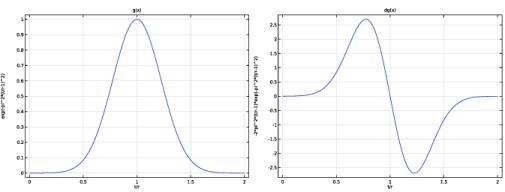
In the Settings window for 1D Plot Group, type Derivative of Norm. Gaussian in the Label text field.
|
|
2
|
Locate the Plot Settings section.
|
|
3
|
|
4
|
Select the y-axis label checkbox. In the associated text field, type -2*pi^2*(t/r-1)*exp(-pi^2*(t/r-1)^2).
|
|
5
|
|
1
|
|
2
|
|
1
|
|
3
|
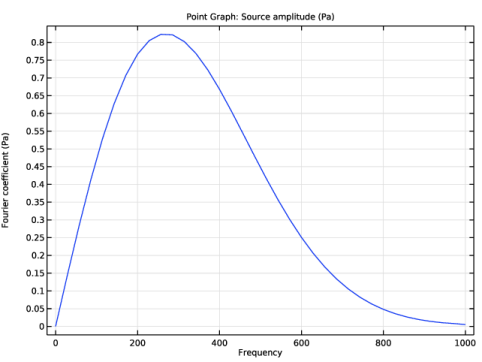
In the Settings window for Point Graph, click Replace Expression in the upper-right corner of the y-Axis Data section. From the menu, choose Component 1 (comp1) > Pressure Acoustics, Transient > Sources > actd.mls1.S - Source amplitude - N/m².
|
|
4
|
|
5
|
|
6
|
|
7
|