|
1
|
In the Materials toolbar, click the Browse Materials
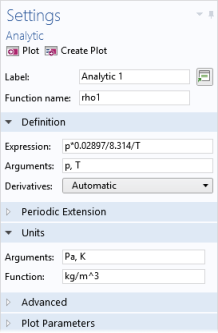
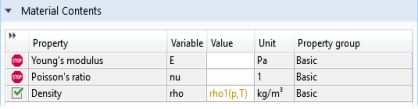
 , Add Material , Add Material  , or Blank Material , or Blank Material  button to add a new material to the Component (or use an existing material where density is not defined, or redefine the current expression for the density). button to add a new material to the Component (or use an existing material where density is not defined, or redefine the current expression for the density). |
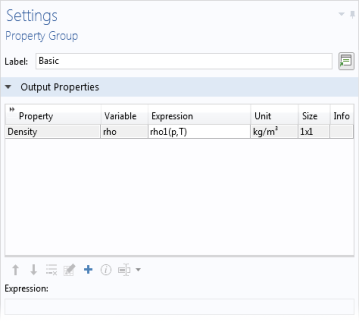
 ) under